 Vanta
VantaUse Ollama on your iPhone or iPad
Connect Vanta to an Ollama server using its OpenAI-compatible API, including LAN binding, model identifiers and connection checks.
Vanta connects to Ollama through its OpenAI-compatible API. Ollama runs the model on your computer or server; Vanta sends messages from your iPhone or iPad to that server. Use a locally hosted model if you want processing to stay on that machine.
Prepare Ollama
Install Ollama and download a model that runs on your host. The Ollama OpenAI compatibility guide documents the /v1 API. It implements a subset of that API, so support for optional features varies.
Ollama normally binds to loopback, which another device cannot reach. For LAN access, configure OLLAMA_HOST and restart Ollama. On macOS, when using the Ollama application:
launchctl setenv OLLAMA_HOST "0.0.0.0:11434"Quit and reopen Ollama after setting it. On Linux or Windows, follow the operating-system-specific steps in the Ollama FAQ. Binding to 0.0.0.0 listens on all IPv4 interfaces; restrict access with your network and firewall.
Keep the phone and host on a trusted reachable network. Check the model installed on your host with ollama list.
Add Ollama in Vanta
- Open Settings → Providers → Add provider.
- Name the provider Ollama.
- Enter
http://192.168.1.10:11434/v1, using your host’s real address. - Leave the API key empty for an ordinary local Ollama server. If you use an authenticated proxy, enter its key.
- Check and save the provider, then create a model preset using the exact installed model identifier, including its tag.
- Select the preset in Settings → Models and send a short test message.
Do not enter /api/chat as the base URL. Vanta uses the OpenAI-compatible chat endpoint under /v1. The normalizer adds /v1 to an address with no path, but preserves a path you explicitly enter.
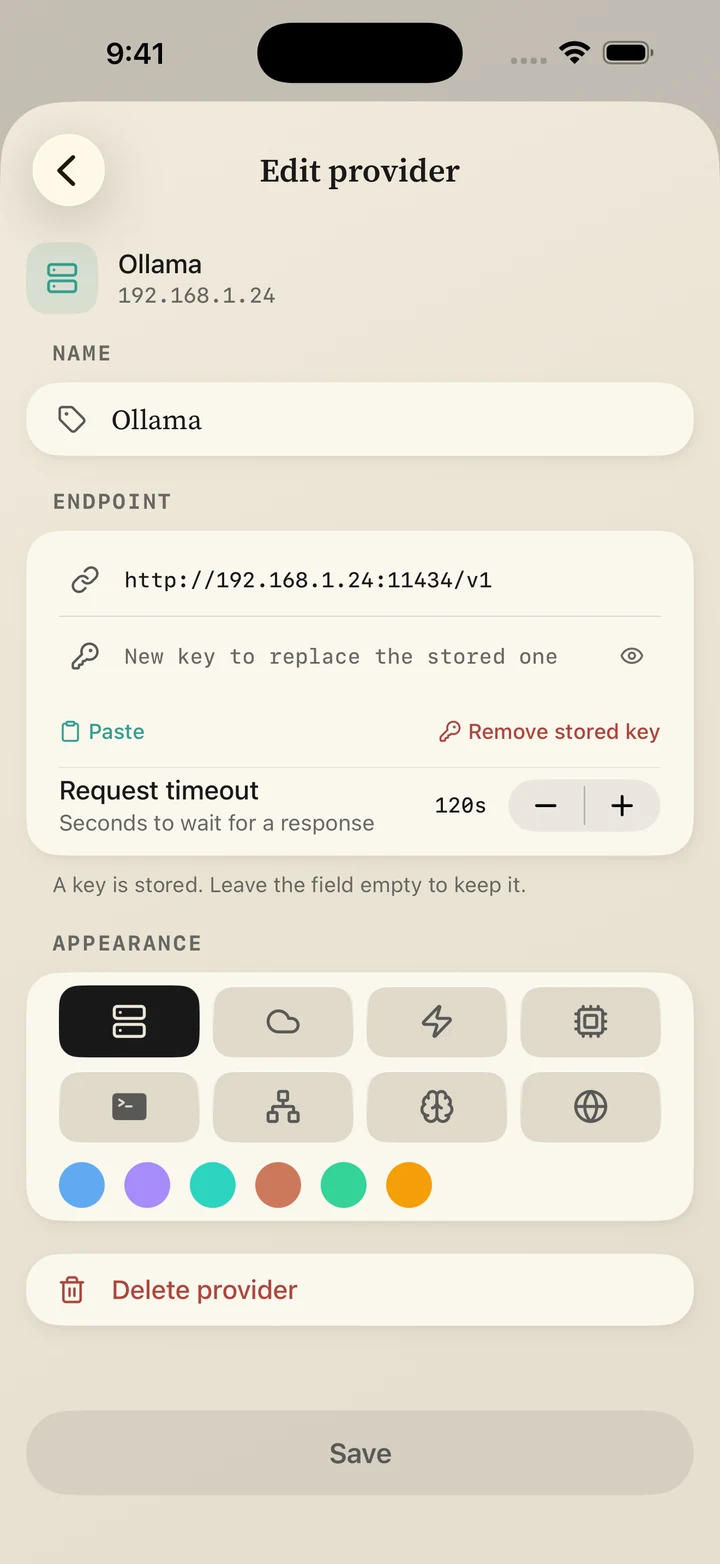
The address in this example belongs to the example server. Enter the address of your own host.
Verify from the network
curl http://192.168.1.10:11434/v1/modelsA JSON model list confirms the API is reachable from the device running the check. It does not prove your phone can reach it; check the saved provider from Vanta too.
Common problems
| Symptom | Check |
|---|---|
| Connection refused | Ollama is running, the LAN binding took effect, and the firewall permits port 11434. |
| “Model not found” | The preset identifier matches an installed model and tag. |
| A 404 response | The saved base path is /v1, rather than Ollama’s native /api path. |
| Long wait before a reply | The host may be loading the model. Try a smaller model and a short prompt. |
| Tool or image request fails | Both the chosen model and Ollama’s compatible API must support the feature. |
Privacy and remote access
For a locally hosted model, inference takes place on your Ollama host. Ollama also offers cloud models; selecting one changes where processing happens. A blank local API key does not secure a server exposed to the internet. Use a private VPN or an authenticated HTTPS proxy for remote access.
This guide documents setup, not measured model performance. See on-device models for running directly on the phone, or troubleshooting if the server connection fails.
Your next chat starts here.
One purchase. Your choice of models.